SIRE 2.0 standard photograph set locations, the six-month refresh and how photographs are compared during inspection
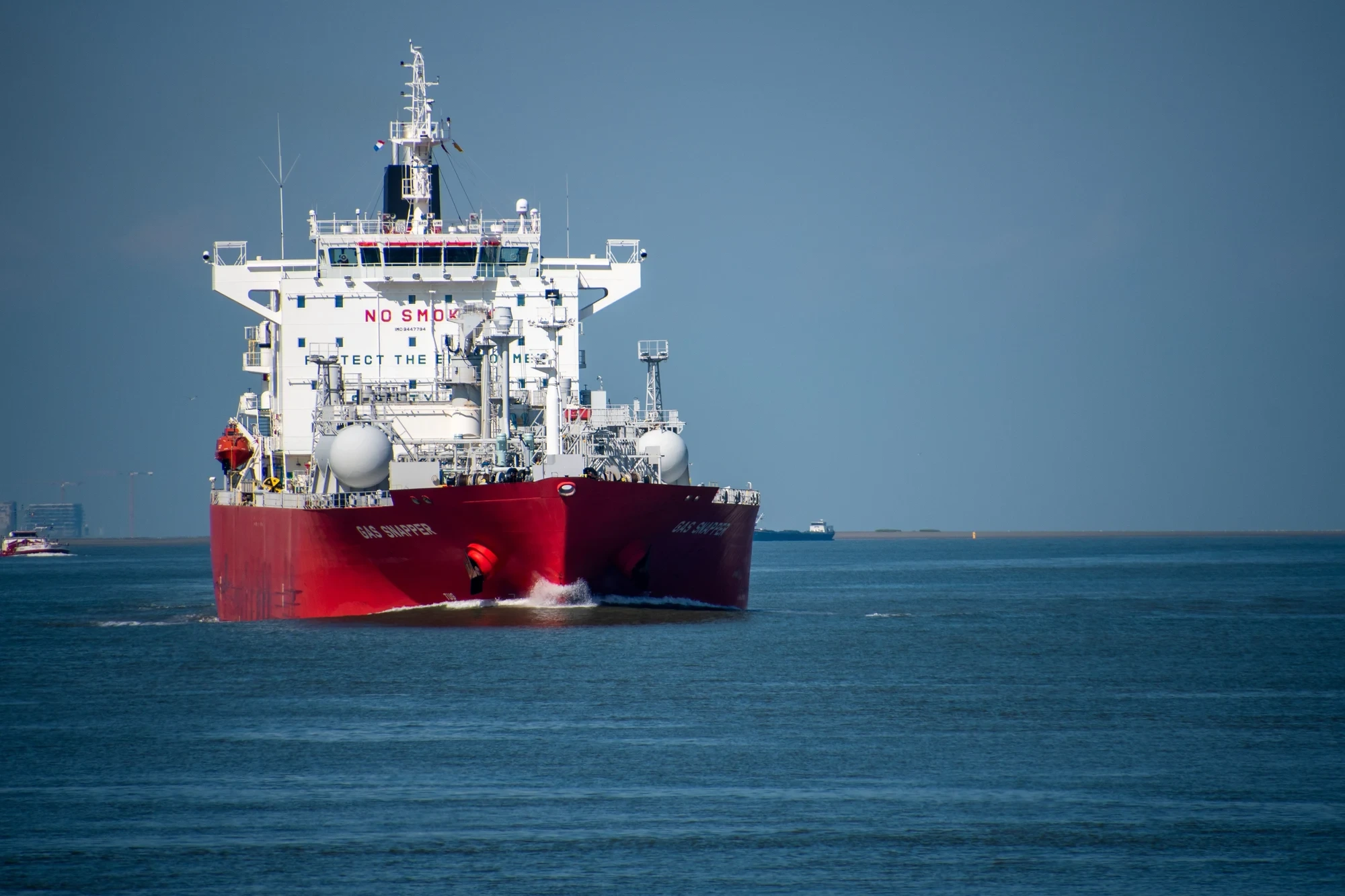
Under SIRE 2.0 the vessel operator uploads the ship’s standard photographs to the OCIMF repository in advance. The inspector reviews them before boarding and compares them with the actual condition during the inspection. The photographs also go into the final report. The aim is that the reader of the report judges the ship’s condition from the photographs rather than from an inspector’s subjective evaluation (Photograph Instructions, page 3).
This article reads which locations are photographed, when they are retaken and how the inspector rules on each photograph. The location numbers differ between documents in one place, so that difference comes first.
Scope: The procedure in this article works inside the OCIMF SIRE 2.0 programme. According to page 4 of the Vessel Operator process document, a ship must be registered as a Tanker and have a photograph template assigned to receive a SIRE 2.0 inspection. It is not a common obligation for all ships. The sources are the Photograph Instructions version 1.0 (April 2022), the Vessel Operator process document version 1.0 (March 2023), the Programme Introduction version 1.0 (January 2022) and Question Library Part 2 version 1.0 (January 2022).
The set is made of 33 core locations and ship-type locations
Page 4 of the Photograph Instructions gives the set the operator uploads as 36 or 42 photographs. The core set runs from number 1 to number 33, and the rest are ship-type locations from number 40 up. Gaps such as numbers 34 to 39 are unassigned (Programme Introduction, pages 14 and 15).
Grouped by area, the core set looks like this. Check the exact description of each location in the source list.
| Numbers | Area |
|---|---|
| 1 to 6 | Bow, forward and aft hull, transom |
| 7 to 12 | Forecastle, windlass, forward main deck, mooring winch |
| 13 to 16 | Hose crane, starboard manifold |
| 17 to 23 | Aft main deck, poop deck, emergency towing, lifeboat, emergency power |
| 24 to 33 | Engine room, generator, oil filtering equipment, incinerator, boiler, steering gear |
The totals add up. 33 locations plus 3 ship-type locations make 36. A shuttle tanker takes the 3 locations in the 40s and the 6 in the 90s, which makes 42. That sum is this article’s own calculation. It follows from page 14 of the Programme Introduction and page 542 of the Question Library, which include shuttle tankers under the 40s. The heading of the 40s on page 5 of the Photograph Instructions does not name shuttle tankers.
Where equipment is duplicated, one representative item is photographed (page 4). Main engines, boilers and generators are the examples given.
A photograph template is assigned to each ship before uploading (page 6). If the wrong template was chosen and is changed later, core set photographs stay. Photographs of ship-type locations are removed automatically (page 7; Vessel Operator process document, page 15).
The ship types for the 50s to the 80s differ between documents
Gas carriers need to check the document before reading a number. Compare five OCIMF documents and one differs.
| Numbers | Photograph Instructions, Vessel Operator document, Programme Introduction, Question Library | Negative Observation Module Explanation, Annex 4 |
|---|---|---|
| 40s | Crude, product and chemical tankers, OBO | Same |
| 50 to 52 | LPG pressurised | LNG membrane |
| 60 to 62 | LPG refrigerated | LNG Moss |
| 70 to 72 | LNG membrane | LPG pressurised |
| 80 to 82 | LNG Moss | LPG refrigerated |
| 90s | Shuttle tanker | Same |
The headings are on page 5 of the Photograph Instructions, page 14 of the Vessel Operator document, page 14 of the Programme Introduction and pages 543 to 546 of the Question Library. Annex 4 of the Negative Observation Module Explanation (version 1.0, April 2022) is on pages 23 and 24.
Annex 4 did not rewrite the item descriptions. It reads as if the ship-type headings slipped. The description for each number is almost the same as in the other four documents. That is why, in Annex 4, number 81, a general view of a Moss sphere, sits under LPG Refrigerated. The one description that also differs is number 62. Annex 4 gives it as deepwell pump motors, the same as number 61, and the other documents give it as the inside of the compressor room.
This article follows the assignment in the four documents. We found no material in which OCIMF corrects the difference. The list the SIRE system shows for the template is what applies to a ship. When copying numbers into a procedure or checklist, copy them from that screen.
A photograph has to show the average condition, not the best area
The test on page 4 of the Photograph Instructions is representativeness. A photograph should represent the general condition of all similar areas. If only the area shown was upgraded and the rest was not, it is not representative. The Instructions say not to upgrade selected areas to take photographs. Page 533 of the Question Library says the same. The inspector treats a general view as the average of similar areas and does not accept a photograph that picks out recently upgraded areas.
The file requirements are on page 7 of the Photograph Instructions.
| Item | Requirement |
|---|---|
| Format | Colour, in focus, high resolution, landscape |
| People | No images of people |
| Date | Where possible, a digital date and time stamp inside the image |
| File | .jpeg or .png, up to 10Mb |
The date taken must be entered on upload (page 9). That date feeds the six-month judgement below.
Six months is not a deadline but the line where the operator’s warranty widens
Page 4 of the Photograph Instructions asks for a new set at intervals of about six months. But the operator may extend the interval for as long as it considers the photographs still representative. It also recommends uploading new photographs before each inspection. So a photograph does not become invalid when six months pass.
What changes is the warranty the operator carries. According to page 532 of the Question Library, uploading a photograph warrants that it represented the true condition on the date it was taken. Leaving a photograph older than six months in place moves that warranty forward to the time of requesting an inspection.
the vessel operator is warranting that the photograph remained representative
The same page also says photographs remain in the repository for twelve months or until a newer one replaces them. The Photograph Instructions do not contain this twelve months.
The repository offers two actions. If a photograph is still representative, pressing Validate stamps a new Last Validated On date. If it is no longer representative, a new photograph is uploaded (page 10). The fleet index shows each ship in three colours (page 12; Vessel Operator document, page 5). Red means at least one location has no entry. Amber means every location has an entry but a photograph’s last validation is more than six months old. Green means all were taken or validated within six months.
Take four locations on a hypothetical LPG refrigerated carrier.
| Hypothetical location | Taken | Last validated | Index condition | Operator’s judgement |
|---|---|---|---|---|
| 1 Bow | 5 months ago | None | Meets green | Warranty as of the date taken |
| 11 Pipe rack | 8 months ago | 1 week ago | Meets green | Validation needs someone who has actually looked |
| 22 Lifeboat | 8 months ago | 8 months ago | Amber | Look again and validate, or retake |
| 27 Incinerator | 13 months ago | 13 months ago | Amber | Retake, given the twelve-month sentence |
Timing matters as well. The repository can be changed at any time, but the data used for this inspection is captured as a snapshot when the operator makes the pre-inspection declaration (Photograph Instructions, page 3). The declaration timing is in the PIQ article that covers inspection requests and declarations. So any refresh has to be finished before the declaration.
A missing photograph needs a reason, and the report records it
A location without a photograph needs a reason (Photograph Instructions, page 11). There are two choices.
| Reason | What follows |
|---|---|
Equipment not fitted |
The photograph question is tagged not applicable in the final report (page 4) |
Photograph was not available |
The reason goes to the inspector’s tablet for verification. The report records the absence |
Once the reason is confirmed, the item counts as complete in the declaration (Vessel Operator document, page 19). Counting as complete does not make the issue disappear. According to page 16 of the Inspector process document (version 1.0, March 2023), for a question with no photograph the inspector selects the response that highlights a concern and takes a current photograph where possible. Photograph questions have no Not Answerable response (page 13).
The inspector picks one of four responses for each photograph
Chapter 11 of the Question Library holds the photograph comparison questions. The last part of the question number matches the photograph number. Photograph 40, for example, is 11.1.40. These questions carry only the photograph comparison tool, with no Hardware, Process or Human tool (Inspector process document, page 12). The four responses on page 13 of the Programme Introduction, shortened, are as follows.
| Response | Meaning | What the inspector adds |
|---|---|---|
| Representative | The photograph matches what was seen | Nothing |
| Representative, concern flagged | The photograph is accurate but the condition in it merits a look | A comment, and more photographs if needed |
| Reasonably representative | It differs somewhat from similar areas but does not misrepresent them | Photographs of other areas and a comment |
| Not representative | The photograph does not represent the actual condition | A negative observation and a photograph |
The Programme Introduction explains why the second response exists. Report recipients may use automated screening. So even an honest photograph gets flagged if the condition is poor. An accurate upload therefore does not mean no finding. The condition in the photograph reaches the reader as it is.
There is also a sentence in the operator’s favour. Page 13 of the Programme Introduction treats it as natural that operators upload photographs giving the best impression, and tells the inspector to consider this before making a negative observation.
In a negative observation under the fourth response, the SOC is set automatically by the photograph location. The NOC is chosen from the four options in Annex 8 of the Negative Observation Module Explanation (page 28). They are: recently upgraded with a maintenance programme in progress, recently upgraded with no evidence of an ongoing maintenance plan, not representative of the overall condition, and a free-text other. Because the first two are separate, if a partial repair is part of a maintenance programme, keep the evidence for it on board.
Photographs taken by the inspector follow different rules
Apart from the operator’s photographs, the inspector takes photographs on the tablet to support observations. The rules are in the Rules for the use of the Tablet Camera and Voice Recorder version 1.0 (March 2023).
- The inspector follows port and terminal restrictions, the master’s instructions and company procedure restrictions, and uses the camera only with the master’s permission.
- Photographs are taken only in the presence of the master or an accompanying officer.
- People, port facilities and documents unrelated to an observation stay out of the frame. For terminal facilities, only the connection inboard of the ship’s rail and the means of access are exceptions.
- The inspector may not record images, video or audio on a personal device.
Once the camera is disabled, no further photographs can be added. The third response then becomes a detailed comment of over 50 characters. The report front cover shows the fact and (D) is added to the end of the report name (Inspector process document, page 54). An inspector photograph that breaks the rules must be removed from the report (Draft Inspection Report Validation version 1.0, page 6). The same page says the operator alone is responsible for the content of the standard set.
Worth confirming
The documents differ in three places. First, the assignment of the 50s to the 80s in the table above. Second, the handling of a question with no photograph. Page 533 of the Question Library says it is automatically entered as Not Seen, and page 16 of the Inspector process document of March 2023 calls for the concern-flagging response described above. This article put the later document first. Third, retention. The corpus documents do not say whether a photograph disappears from the system automatically after the twelve months in the Question Library. Nor do they say how that fits with “as long as representative” in the Photograph Instructions. Retaking before twelve months avoids the question.
Some things are not covered by this article. The documents give no numeric standard for high resolution. Example photographs for each location are in Appendix 1 of the Photograph Instructions and are not reproduced here. All documents used here are version 1.0, so check the live screens and any later edition with OCIMF.
You can consult the cited source documents
These links lead to the official publishers of the documents discussed here. Match the edition and provisions cited in the article, and check subsequent amendments and flag-state implementation before applying them.
- OCIMF · SIRE 2.0 Instructions for Uploading Photographs to the Photograph Repository
- OCIMF · SIRE 2.0 Inspection Management Processes - Vessel Operator
- OCIMF · SIRE 2.0 Programme Introduction and Guidance
- OCIMF · SIRE 2.0 Question Library Part 2
- OCIMF · SIRE 2.0 Negative Observation Module Explanation
- OCIMF · SIRE 2.0 Rules for the use of the Tablet Camera and Voice Recorder
Continue with the related operational guidance
Leaving a photograph older than six months means the operator vouches for its representativeness. Bellbook sets the photograph template from the ship type and shows, location by location, whether a photograph is missing, past six months or marked as equipment not fitted. Crew upload by location for their own ship. Uploading to the OCIMF repository and the declaration remain with the operator.
Start for freeRelated reading
- SIRE 2.0 time limits from inspection request to report publication and the conditions for cancellation and withdrawalInspections and audits
- The Hardware, Process and Human axes of a SIRE 2.0 negative observation and the SOC and NOC classificationInspections and audits
- Who completes the SIRE 2.0 PIQ, when the declaration fixes it and which answers change the question setInspections and audits